Manual
Everything the MIDI Conductor adds to DOOM OS, and the buttons that run it.
Contents
Pad channels and devices (CC names) · Sequence your synths · MIDI mode and banks · Recording knob moves · Editing a CTRL · Key summary · Limits
Pad channels and devices
Every pad sends its notes on its own channel. A pad with no channel sends no note at all. SHIFT + REMAIN opens learn mode from any DOOM screen (MIDI mode can be off).
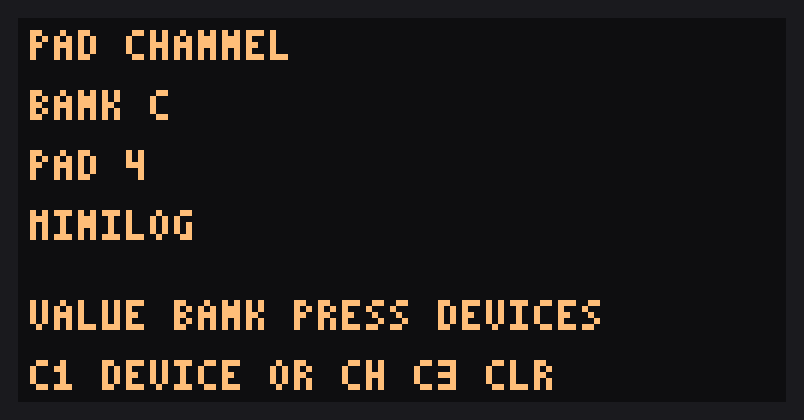
Pads view
- VALUE picks the pad bank A to J. Tap a pad to select it.
- CTRL 1 sets its device or channel. CTRL 3 clears it.
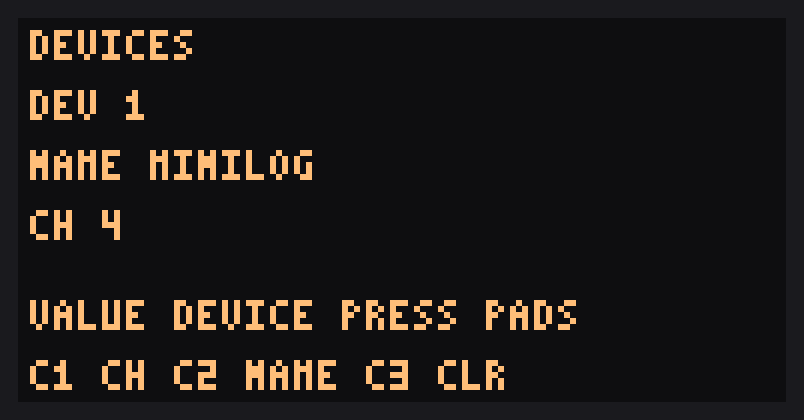
Devices view (press VALUE to switch)
- VALUE picks device 1 to 7.
- CTRL 1 sets the device's channel, CTRL 2 its name (from a fixed list), CTRL 3 clears it.
EXIT or SHIFT + REMAIN leaves learn mode. The pad screen and MIDI page show just the device name.
CC names
Devices named MINILOG or NTS-1 carry that synth's CC list. A CTRL that follows such a device picks its CC by name, and the page shows the name.
Other devices keep raw CC numbers.
This release has the MINILOG and NTS-1 lists built in. Lists for other synths are planned.
Your own devices
On the unit you can give each of the seven device slots a channel and pick a name from the fixed list, and any CTRL can send any CC number as a raw number, so every synth works. What you can't do yet is create your own named CC list or type your own device name; that is planned for a later release.
Sequence your synths
The SP's sequencer can play your external synths. Every pad hit in a pattern goes out of the DIN MIDI output as a note, on that pad's channel. Put different pads on different channels and one pattern plays several synths at once.
- Give the pad a channel. SHIFT + REMAIN opens learn mode. Tap the pad and use CTRL 1 to pick a channel or a named device. A pad with no channel sends no note.
- Make the pad playable. A pad needs a sample before the sequencer will play it. To play a synth without any sound from the SP, record silence into the pad (sample with nothing coming in, or the input turned down) instead of loading a sample and muting it.
- Record or enter the pattern in DOOM OS as usual. Each step sends the pad's note on the pad's channel.
- Play melodies from one pad. In the piano roll, each step's pitch is added to the pad's note.
- Add movement. Record your CTRL moves into the pattern (see Recording knob moves) and they play back as CC on the same loop.
Notes end at the step's gate, not at the end of the sample, so a short silent sample is fine. STOP and choke send no note-off yet, so a note can be left hanging; an all-notes-off or panic on the synth clears it.
MIDI mode and banks
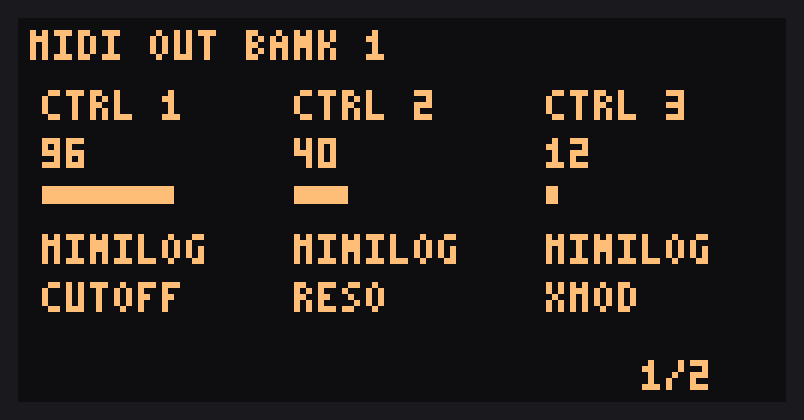
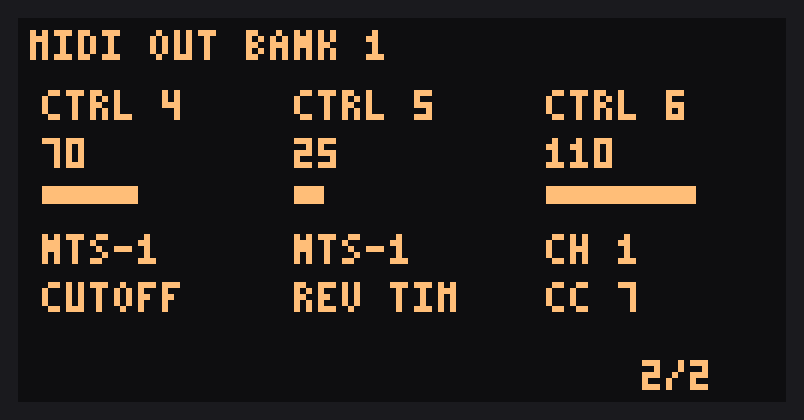
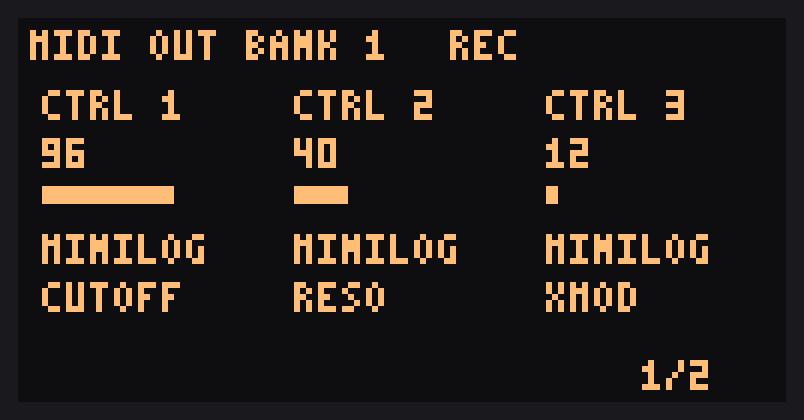
In MIDI mode the CTRL knobs send MIDI instead of changing the effect. There are 36 CTRLs in six banks of six. The MIDI page shows three CTRLs at a time.
- SHIFT + FX1..FX6 chooses bank 1 to 6 and turns MIDI mode on. The FX key of the active bank is lit.
- Press VALUE to flip between CTRL pages 1/2 and 2/2 (CTRL 1 to 3, then 4 to 6).
- EXIT leaves MIDI mode and returns to DOOM OS.
Each CTRL sends a CC on the channel and number you set.
Recording knob moves
Record your CTRL moves into a pattern and have them play back as CC. Each CTRL has its own lane of 64 points across the pattern, so slow sweeps stay smooth.
- SHIFT + VALUE turns recording on and off while MIDI mode is on. The page shows
REC. - While recording, a CTRL you move is written at every point the pattern passes. A CTRL you touch keeps recording its current value until you stop.
- The recorded moves play back as the pattern runs, with MIDI mode on or off, and stop when the sequencer stops.
- Turn a CTRL by hand during playback and it takes over from its lane until the pattern loops.
- SHIFT + EXIT erases every lane and leaves MIDI mode on.
All patterns share the same lanes, and they are kept in RAM only, so they are cleared when you power off.
Editing a CTRL
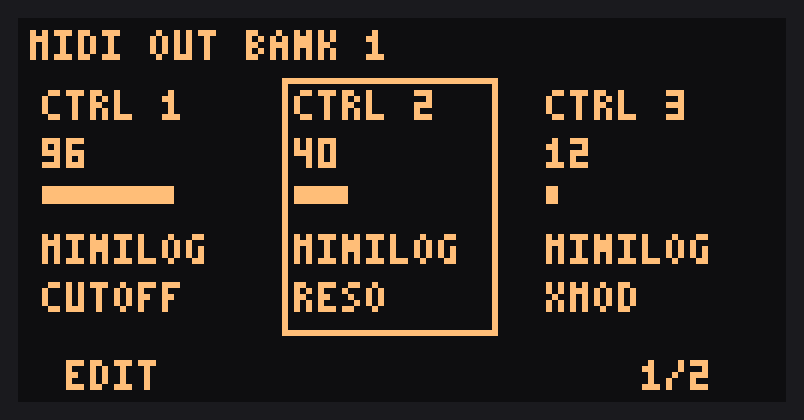
SHIFT + MARK turns edit mode on and off on the MIDI page. In edit mode, turn VALUE to pick the CTRL, then use the CTRL knobs to set it:
- CTRL 1 chooses its device or MIDI channel. The knob runs through devices 1 to 7, then channels 1 to 16.
- CTRL 2 chooses its CC. For a device that has a CC list (below) it picks by name.
If a CTRL follows a device, the page shows Dn CH c. Changing a device's channel updates every pad and CTRL that uses it.
All settings are saved in DOOM OS's settings file and survive a power cycle.
Key summary
| Keys | Does |
|---|---|
| SHIFT + FX1..FX6 | MIDI mode on, bank 1 to 6 |
| VALUE | Flip CTRL page 1/2, 2/2 |
| SHIFT + MARK | Edit the CTRLs |
| SHIFT + REMAIN | Pad channel and device learn mode |
| SHIFT + VALUE | Recording on or off |
| SHIFT + EXIT | Erase all recorded moves |
| EXIT | Leave edit or learn mode, then MIDI mode |
Limits
- One MIDI output (DIN). USB MIDI isn't covered.
- Knob moves in MIDI mode don't change the SP's own effect.
- If a synth echoes CC back into the SP, feedback is possible. Untested.
- Only Roland 5.52 with DOOM OS 0.6.2-alpha (3824) is supported. DOOM OS is built into the patch, and the patcher refuses any file other than stock Roland 5.52, so a newer Roland or DOOM OS release can't be patched until it has been tested here.