Conduct your whole rig from the SP-404MKII
Through DOOM OS, send MIDI from the SP's pads, CTRL knobs and sequencer to the synths on its DIN output, several at once. Name up to seven devices, give each its own channel, and record your knob moves into the pattern.
Patch your firmwareRead the manualWhat it does
Sequence your synths
Pattern steps play out of the DIN MIDI output as notes, each pad on its own channel. One pattern, several synths.
36 CTRLs, six banks
The CTRL knobs send CC on any channel instead of changing the effect. SHIFT + FX1..FX6 pick the bank.
Edit on the unit
Set each CTRL's device, channel and CC with SHIFT + MARK. Everything is saved to the SP.
Named devices
Name up to seven devices. Change a device's channel once and every pad and CTRL using it follows.
Named CCs
Built-in lists for the Korg Minilogue and NTS-1. More synths are planned.
Record knob moves
Record CTRL moves into a pattern and have them play back as CC. SHIFT + VALUE arms recording.
Install
You need Roland's official firmware. It isn't included here: the patcher runs in your browser on your own copy, and nothing is uploaded.
- Download Roland's SP-404MKII system update 5.52 and unzip it. You need
SP404MKII_APP1.bin, and the originalSP404MKII_APP0.binfrom the same folder. - Open the patcher and drop
SP404MKII_APP1.binon it. It checks the file is exactly Roland 5.52, and refuses anything else. - Download the patched file and keep the name
SP404MKII_APP1.bin. Use it with Roland's originalSP404MKII_APP0.bin. - DOOM OS is already in the patched file, so there is nothing else to download. Install it the way you install DOOM OS (see the DOOM OS manual).
- To go back, install the original Roland files.
Screens
This is how the patch draws its pages on the SP's display (rendered from the patch's own drawing code).
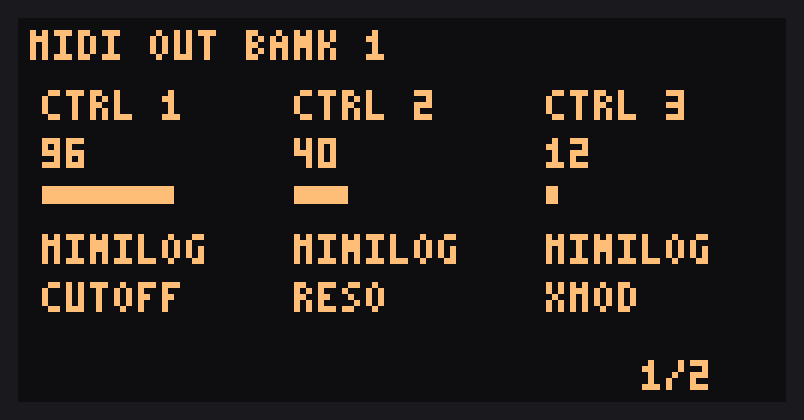
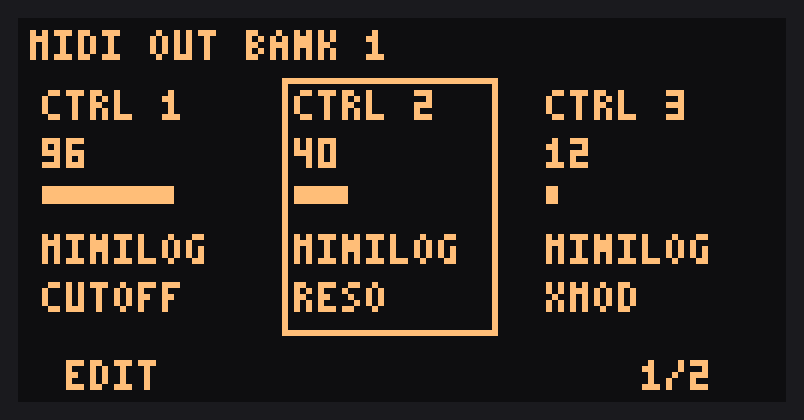
The manual has all the screens.